Skip navigation

Confirmation and Clearing: The essentials

If you’re new to advising or need a refresh, this page contains the essential information about Confirmation and Clearing.

Students' options throughout Confirmation and Clearing

Below is a quick summary of the different options available to students throughout Confirmation and Clearing. 

Clearing quick summary table
ClearingFor students who apply after 30 June or applicants who want to apply elsewhere to start their studies this year. Clearing vacancies are displayed in the UCAS search tool from 2 July.
Clearing PlusAlso for students who apply after 30 June, and those not holding an offer. We use their application information to match them to suggested courses. They can see these courses by clicking the ‘My matches’ button in their application.
Decline my placeFor applicants who have changed their mind, ‘Decline my place’ enables them to add another choice to their application. The ‘Decline my place’ button will appear for eligible applicants. Applicants should secure a new place before using this service as it’s not reversible.
Adviser chatting with students

Confirmation and Clearing resources

Designed to give you everything you need, these resources can be downloaded and edited so you can prepare your students ahead of the summer results period.

  • – everything you need to support students through Confirmation and Clearing. Includes easy to use screenshots showing the full student application journey, plus a clear overview of options and practical ideas to help students prepare. Use it as is with students or customise it by adding the screenshots wherever they’re most useful.

  • – use this to help prepare your students for results day. The document can be edited to suit your students' needs.

  • – use this to help your students prepare for what their status could mean and what their next steps would be on results day.

New to Confirmation and Clearing?

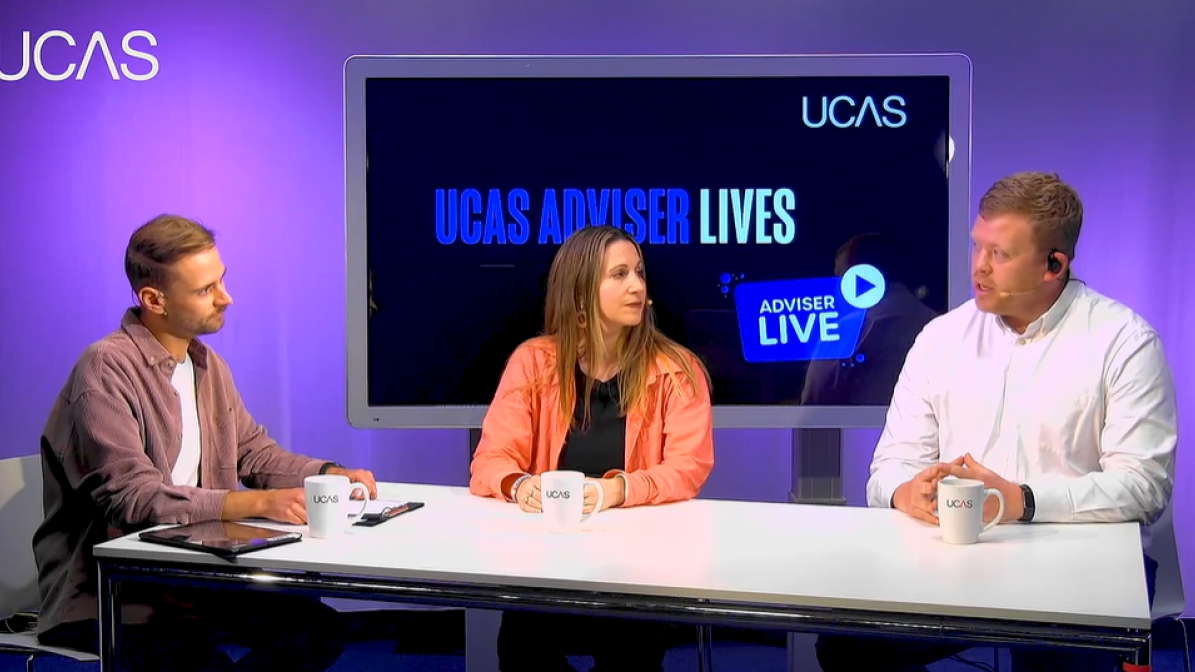
We've worked with three experienced advisers to give you an overview of the Confirmation and Clearing period, with top tips and advice on what to expect and how you can best help your students. 


Confirmation explained

  • Confirmation is a period of time where universities and colleges review applicants’ exam results to verify if they have met the conditions of their offer.
  • Confirmation of university and college places mostly happens following the release of summer results.
  • Applicants will receive details of what they need to do, and when, through their application, or directly from their university or college.
  • Confirmation decisions and the CU12 Confirmation letter for UCAS Conservatoires applicants are shown in their application.

While universities and colleges receive grades and make their decisions, we enter into an embargo period.

What is the embargo?

Each year, UCAS and universities and colleges are given early access to results under strict embargo arrangements with Qualifications Scotland and the Joint Council for Qualifications (JCQ).

An embargo period covers the defined period of time where early access to embargoed results is given. This allows universities and colleges to prepare and make decisions by the official publication dates of results. 

Centres may also receive results from awarding organisations prior to the publication dates. In many cases these will be issued under a separate embargo between the awarding organisation and the centre which must also be upheld. 

The Qualifications Scotland and Level 3 (JCQ) results embargo periods for 2026 are:

  • 28 July 08:00 – 4 August 09:00 (UK time)
  • 7 August 08:00 – 13 August 08:00 (UK time)

During the results embargo periods:

  • Applications will not be updated.
  • Universities and colleges cannot discuss an applicant’s individual status with them, or with an adviser.
  • Access to previous static data contained in the Tracking offers and decisions section of the adviser portal, including your applicant status report (ASR), will be unavailable.

Adviser portal access during the embargo

JCQ sets strict controls when giving UCAS privileged early access to results. These extend to universities and colleges who receive results before 13 August and also to all adviser portal users who will have early sight of applicant statuses. If you access the adviser portal before 08:00 (UK time) on 13 August you must keep to this embargo arrangement

In the staff management section of the adviser portal, please review who has permission to view offers and decisions at your school or centre. It is important that anyone who can access this embargoed information is aware of the serious implications of breaching the embargo

Adviser downloading their ASR on laptop

Get prepared for results day: Download your ASR early

To help you support students as quickly as possible on results day, make sure you download your Applicant Status Report (ASR) before the embargo period begins

This gives you a near up-to-date view of your students, so you can: 

  • identify who may not meet their offers
  • plan support ahead of results day
  • be ready to act as soon as results are released to students 

When to download your ASR: 

  • For Qualifications Scotland results day (4 August): download by Tuesday 28 July.
  • For Level 3 (JCQ) results day (13 August): download by Friday 7 August. 

Supporting your students on results day

Qualifications Scotland results day – 4 August

On 4 August, Qualifications Scotland results day, the adviser portal will open at 09:00 and your students will be able to access their applications.

  • If you go straight to the Tracking offers and decisions section for 2026 you'll see the different Confirmation decisions.
  • This status list will help you know the next steps for your students.
  • Students will be able to add a Clearing choice from 10:00 (UK time).

Level 3 (JCQ) results day – 13 August

On 13 August, Level 3 (JCQ) results day, the adviser portal will open at 07:00 to allow you to check the status of your applicants and identify those who may need your support. 

  • If you go straight to the Tracking offers and decisions section for 2026 you'll see the different Confirmation decisions for your students.
  • This status list will help you know the next steps for your students.

Students will be able to access their applications from 08:00 (UK time) and add a Clearing choice from 13:00 (UK time). You must not, under any circumstances, disclose the details relating to exam results, application status or mention anything which could be used to infer that information to applicants, parents, guardians, universities and colleges, or with any of your colleagues, who don’t have access to this information through the adviser portal, until the embargo has lifted at 08:00 (UK time) on Level 3 (JCQ) results day

Videos for your students

We've created some engaging animated videos that you can share with your students to help them understand the results day and Clearing processes. 


Different Confirmation decisions

There are many decisions universities and colleges can make:

Conditions of offer have been met

Applicants who have met the conditions of their firm choice will be placed there (UF). Their application will display confirmation and advise the applicant if they need to take any further action.

Applicants who are placed at their insurance choice (UI) or firm choice (UF) are shown in the adviser portal under the ‘Final Place Accepted’ status. Use the filters ‘placed – Firm’ and ‘placed - Insurance’ or use the ‘Search for Applicant’ feature and choose this status to show you a list of those applicants.

Conditions of offer have been met and exceeded

If the applicant’s exam results turn out better than expected and they not only meet but exceed the conditions of their conditional firm offer, they can decline their place and apply through Clearing. If they use Clearing Plus, they will be signposted to relevant universities with spaces whose entry requirements match their results

Conditions of offer have not been met

Applicants who have not met the conditions of their offer:

  • may still be accepted by the university or college and may need to wait a few days for them to make a final decision. The university or college may be waiting for some information (confirmation of exam results, non-academic information, etc.) to make a final decision
  • may be given a change of course, date of entry, or point of entry offer, which will be shown in their application. Applicants are not obliged to accept this, but must accept or decline the change within five calendar days

Unsuccessful applicants

Applicants who have been unsuccessful will be in Clearing.

Applicants can use Clearing Plus to view a list of courses they've personally been matched to in their application by clicking the 'My matches' button – alongside our search tool, with official Clearing vacancy listings.

Commitments during Confirmation

Applicants are expected to honour their Confirmation commitments.

However, should an applicant find they no longer wish to take up their confirmed place, they need to contact the university or college to either withdraw from the UCAS application system completely, or release themselves into Clearing using the ‘Decline my place’ button in their application. When they do this, they’ll be asked why they’ve changed their mind.

Find out more about the different application statuses and next steps.

Sam Sykes adviser live panel

Adviser Lives

Watch our latest webinar to discover ideas, hints, tips and experiences to help you support students as they receive their qualification results and move onto their next steps.

Watch the webinar

Clearing

If your student doesn’t get the grades they hoped for and their places are not confirmed, they can try to find another course through Clearing.

The Clearing process runs from 2 July, and helps students without a confirmed place, and those who apply late, to find courses where there are still places available.

Applicants become eligible for Clearing at different times, and it is available for those who:

  • apply after 30 June 2026
  • haven’t received any offers
  • declined any offers they received

How do applicants use Clearing?

From 2 July, if an applicant is eligible, they can add a Clearing choice in their application.

  • Applicants do not need to contact us to request entry into Clearing.
  • Applicants should wait until they have any pending exam results before contacting universities and colleges about possible vacancies.
  • Applicants should regularly check the status of their application to find out if they are eligible for Clearing.

Eligible applicants will be able to add choices from:

  • 10:00 on Qualifications Scotland results day (UK time)
  • 13:00 on Level 3 (JCQ) results day (UK time)

Applicants who have conditional firm (CF) and conditional insurance (CI) choices aren’t eligible for Clearing until both the CF and CI universities/colleges have confirmed they will not offer places. Applicants sometimes know informally that they have been unsuccessful before we receive the official decision. In these circumstances, they should allow a little time for the decision to be processed. If there’s a significant delay, they should contact the universities or colleges directly to discuss this.

Searching for courses available in Clearing

Official Clearing course vacancy information is only published by UCAS in our search tool from 2 July. 

When an applicant finds a course they’re interested in, they should talk to the uni or college – if they share their Clearing number the provider can look up their application. If they then secure a verbal offer, the applicant can then add the choice in their application.

More information is available on our Clearing page.

There are two ways for students to find places.

Clearing Plus

With Clearing Plus, finding the right match has never been easier:

  • Applicants in Clearing can view a list of courses they've personally been matched to in their application – all they need to do is click the 'View matches' button.
  • Applicants can browse from a list of courses they’ve been matched to based on their application and the students universities and colleges have told us they're looking for.
  • Applicants can find a course they want to be considered for, they should click the 'I'm interested' button and their details will be passed to the university or college.
  • Applicants can make up to five expressions of interest at any one time. If the university or college still has places, they may reach out to discuss things further and make an offer.
  • If applicants receive an offer, all that's left to do is to add it as a Clearing choice in their application so their place can be confirmed.

Decline my place

Applicants can use the ‘decline my place’ button to withdraw from their confirmed place and release themselves into Clearing – saving time and giving them direct control over their application.

This is available for all placed applicants – and we'll again be capturing the reasons to provide greater insight.

In case you need it, here’s a recap on how it works:

  • Applicants click the ‘Decline my place’ button in their application.
  • They’re taken to a page which explains what they’re about to do, and a drop-down question which they must complete – this is where we’ll capture their reason for releasing – before confirming.
  • The applicant will then receive a notification to confirm they’re in Clearing, and advising them to phone the university or college they declined if they’ve made a mistake.

As in previous years, if applicants want to stay at the same university or college but swap the course they’re studying, they should contact the university of college as they may be able to arrange the swap without declining their place.

The options presented to an applicant after clicking ‘decline my place’ are:

ScenarioNext steps
I want to go to my insurance choice. As the applicant is now placed at their firm choice, their insurance choice has automatically been declined. However, their insurance choice might still be able to offer them a place through Clearing. They’ll need to contact their insurance choice to discuss their options. If they have places available, and give permission, the applicant will need to select ‘I want to apply somewhere else’. They will then be able to add a Clearing choice.  
I no longer wish to go to university this year.If the applicant doesn’t want to go to university this year, they might be able to defer their place until next year – they’ll need to contact their firm choice to discuss this. If they are sure they do not want to defer their place until next year, they can use the ‘decline your place’ button and select ‘I want to apply somewhere else’. If they change their mind, they can still use Clearing to apply elsewhere. 
I want to apply somewhere else. The applicant will be ending the contract they have with their unconditional firm choice university or college. They cannot undo this action. If they change their mind, they will still be able to use Clearing to apply elsewhere.
I have done better in my exams than I expected and want to change my course.If the applicant’s exam results turn out better than expected and they not only meet but exceed the conditions of their conditional firm offer, they can decline their place and apply through Clearing. If they use Clearing Plus, they will be signposted to relevant universities with spaces whose entry requirements match their results
I want to change to a different course at the same uni/college.If they are happy with the uni or college they are placed with but wish to change the course they’ll be studying, the best thing to do is to give the uni or college a call. If they agree, they will send an updated offer for the new course. 

The ‘decline my place’ reasons are:  

  • I have changed my mind, and no longer want to attend my current course and university.
  • I have received an alternative offer elsewhere, and I prefer the content of the other course.
  • I have received an alternative offer elsewhere, and I prefer the alternative university or college.
  • I have received an alternative offer elsewhere and have been offered a scholarship.
  • I am unable to secure accommodation.
  • I am unable/I do not want to relocate.
  • I am unable to pay the fees required to study here.
Students working on laptops

Direct to Clearing - Document Upload

Applicants applying direct to Clearing for 2026 entry will be able to upload supporting information to specific sections of the application. Adding documentation will be optional and is designed to support efficient and inclusive admissions. 

For 2026, advisers will not have visibility of documents uploaded in the adviser portal.

Find out more

Photo of Clementine Wade

Supporting parents during Confirmation and Clearing

Take a look at our page dedicated to helping parents understand results day, Clearing, and the best ways to support their children throughout the process. In collaboration with university and school coach, Clementine Wade, parents can gain lots of top tips and guidance, as well as signing up for emails with timely information and support.

Parent Clearing guidance